



Secure
A vault, not a spreadsheet
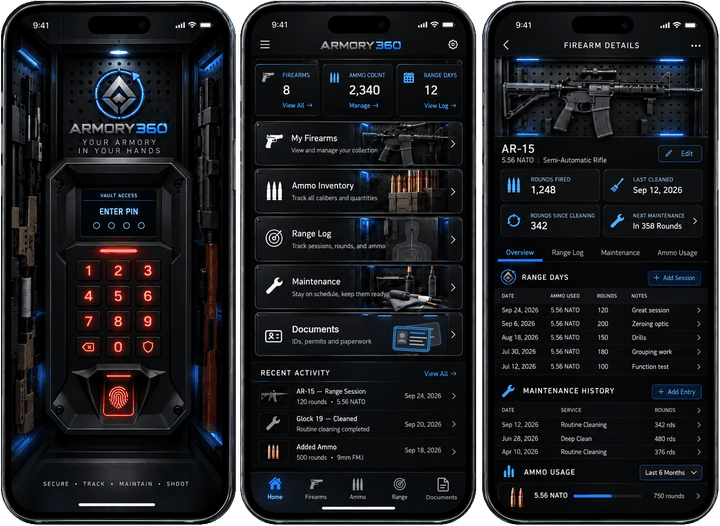
Armory360 opens on a safe-style keypad. Serial numbers, photos and documents are sensitive, so the whole app is built around keeping them locked.
PIN, Face ID and auto-lock
A 4–8 digit PIN with Face ID or Touch ID, auto-lock when you leave the app, and escalating lockouts after wrong guesses.
Privacy mode
Serial numbers stay hidden until you unlock them again.
Documents wallet
Your ID, carry permits with expiry reminders, and firearm paperwork like receipts and manuals — encrypted on the device. Show-permit mode puts a permit full screen when you need to present it.
Insurance and estate report
One PDF, made on your device: a page per firearm with photo, details, parts and their cost, and receipt thumbnails, with the collection’s totals up front. Serials masked or in full, your choice. It goes straight to the share sheet; Armory360 keeps no copy.
See a sample (sample data)
For someone you trust
A second copy of your vault, sealed with its own PIN or passphrase, plus a one-page note on how to open it. Hand the file to a spouse or executor and the PIN separately; opening it is free on any iPhone or iPad.
See a sample of the how-to-open note (sample data)
Check the safe
Tap each firearm’s NFC sticker in one pass; the app ticks them off and lists anything you didn’t tap, and stamps when each was last seen. Stickers on an ammo can open the lot with the count ready to adjust; a sticker in a magazine logs which mags ran that day. A tag holds only a random code — nothing readable about what it’s on.